Private assembly merupakan the simplest type from the other .net assembly types. Assembly ini terdapat didalam application base directory. Dengan adanya private assembly ini maka kita dengan mudah mengcopykan aplikasi yang sudah dibuat ke directory tertentu atau dengan cara XCopy deployment.
Bagaimana caranya kita mengetahui CLR nge-bind private assembly tsb? Dengan menggunakan fuslogvw.exe maka hal tsb bisa kita ketahui. Output informasi dari fuslogvw.exe yang dijalankan lewat .net sdk command prompt akan menampilkan lokasi-lokasi directory yang dicari oleh CLR.
1: using System;
2: using System.Collections.Generic;
3: using System.Text;
4:
5: namespace SimpleMath
6: {
7: public class MyMath
8: {
9: public static double NilaiSinus(Double Angka)
10: {
11: return System.Math.Sin(Angka);
12: }
13: }
14: }
2. Buat sebuah windows application project. Add reference assembly yang sudah dibuat pada langkah (1). Design form berikut codenya :

1: private void btnGetSinus_Click(object sender, EventArgs e)
2: {
3: double dblNum = Convert.ToDouble(txtNum.Text);
4: double dblResult = SimpleMath.MyMath.NilaiSinus(dblNum);
5: MessageBox.Show("Sin " + dblNum.ToString() +
6: " = " + dblResult.ToString());
7: }
3. Build...locate your Debug / Release folder..Find the Assembly that has been referenced by the windows app project template...delete the assembly. Run the application from the Debug / Release folder by clicking its .exe.
4. Input the number you want to calculate the sinus. Click the button to see the result...
5. Run fuslogvw.exe from the .net sdk command prompt 2.0
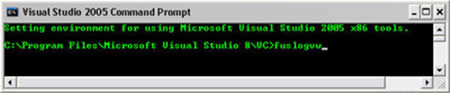
...be sure to check the option Log Settings like this (by clicking Settings button) :
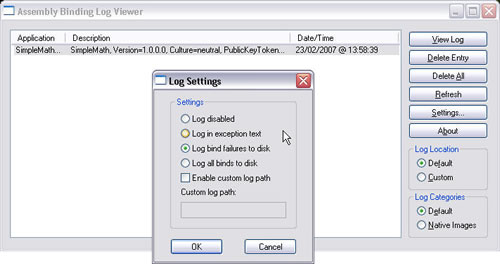
6. Click Refresh Button >> View Log...the information from the fuslogvw.exe :

Now u can see the directory location searched by CLR to bind the private assembly...In the next article i'll explain about Binding Policy...